Every message your jobs and apps send has a label — info, deploy, backup failed, whatever you choose. UPGURU sorts each label into one of three groups, and only the group matters:
- •Error — shown in red, counted as an error and alerted on.
- •Warning — highlighted in yellow, but never an outage.
- •Info — all good, just recorded.
1
Let the defaults do the work
Labels containing words like error, failed, fatal or critical are errors; warning, timeout or deprecated are warnings; everything else is info. So backup failed is an error without you doing anything.
2
Change what a label means
Go to Settings → Labels. Every label you've ever sent is listed there; pick Info, Warning or Error next to it. Messages you've already received are recolored straight away.
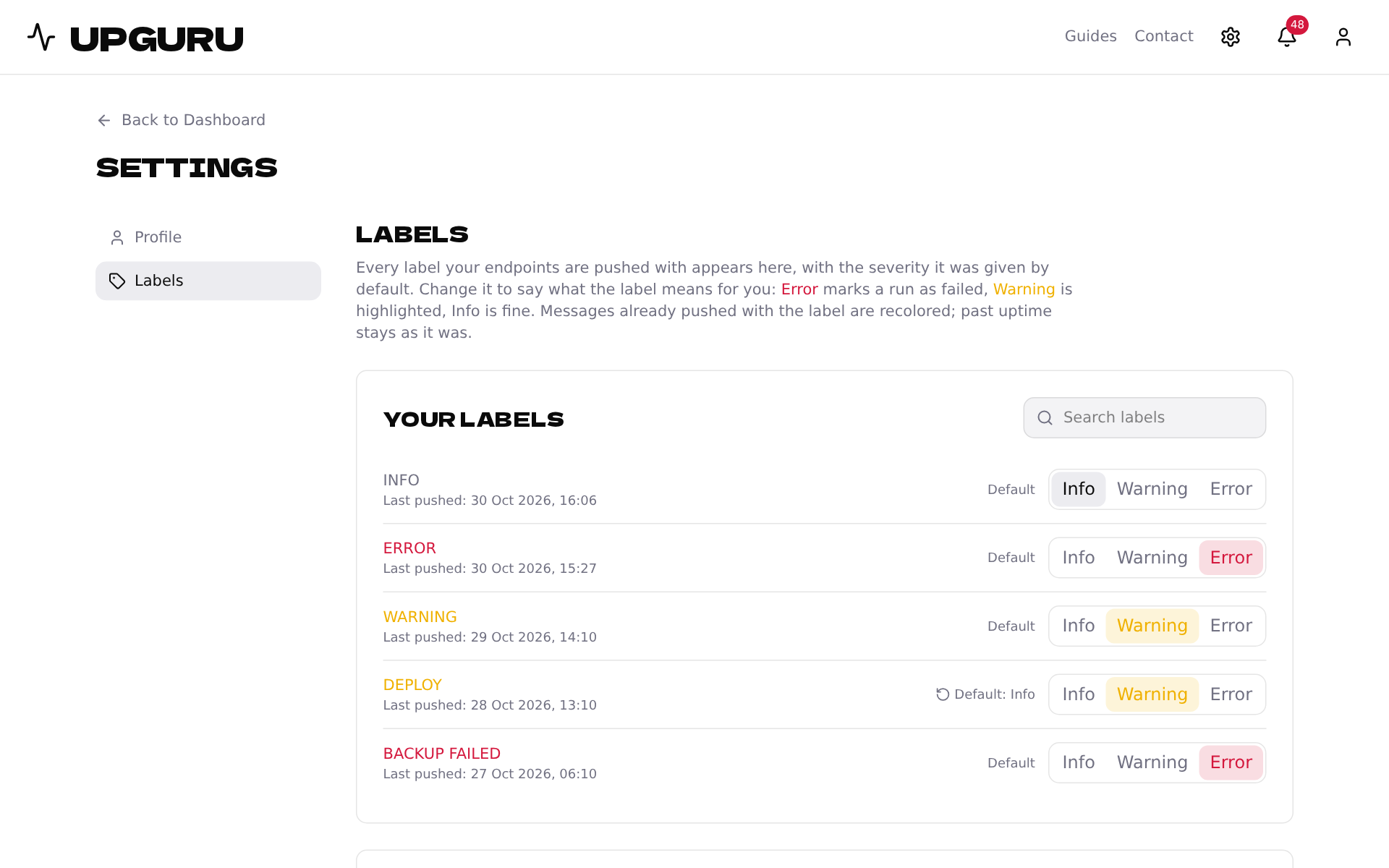
You can also click a label anywhere on the message timeline to change it without leaving the page.
3
Set up a label before you use it
Under Add a label, enter a label your app will send and choose its group. The very first message with it is then treated the right way.
Changing a label doesn't rewrite history: past uptime and incidents stay as they were.