Backups, imports and other scheduled jobs usually fail quietly. With UPGURU, your job calls a unique URL each time it runs and tells us whether it went well. We alert you when it reports a failure, and — if you want — when it doesn't call at all.
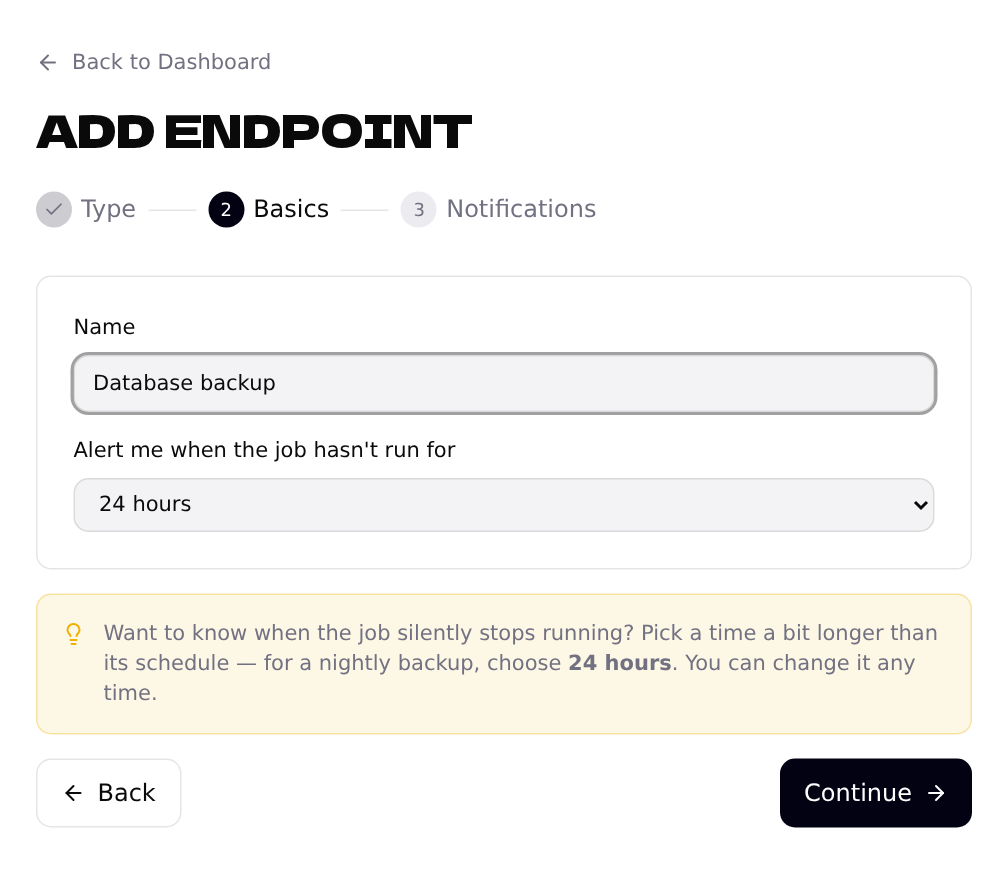
Choose “Cron job” and give it a name
Click + Add Endpoint, pick Cron job and name it so you'll recognize it in an email, e.g. Database backup.
Copy your push URL
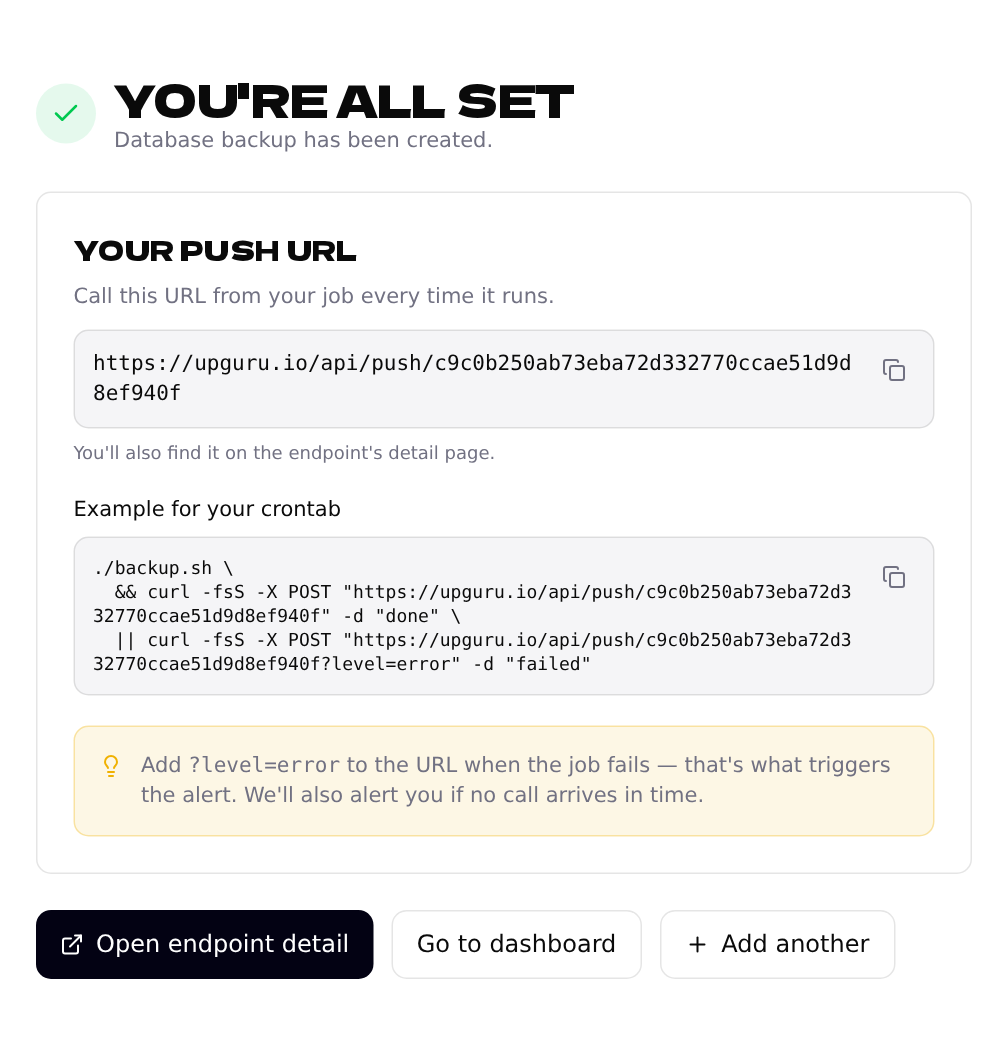
After you click Create endpoint, you get your push URL with ready-made examples. Copy it — you can always find it again on the endpoint's detail page.
Call it from your job
Add one line to your crontab. When the job succeeds, it sends done; when it fails, it adds ?level=error, which is what triggers the alert:
0 2 * * * /opt/backup.sh \
  && curl -fsS -X POST "https://upguru.io/api/push/YOUR-TOKEN" -d "done" \
  || curl -fsS -X POST "https://upguru.io/api/push/YOUR-TOKEN?level=error" -d "backup failed"
Anything you send in the body is stored as the message, so you can send the job's output too, e.g. -d "$(./backup.sh 2>&1)".
See every run
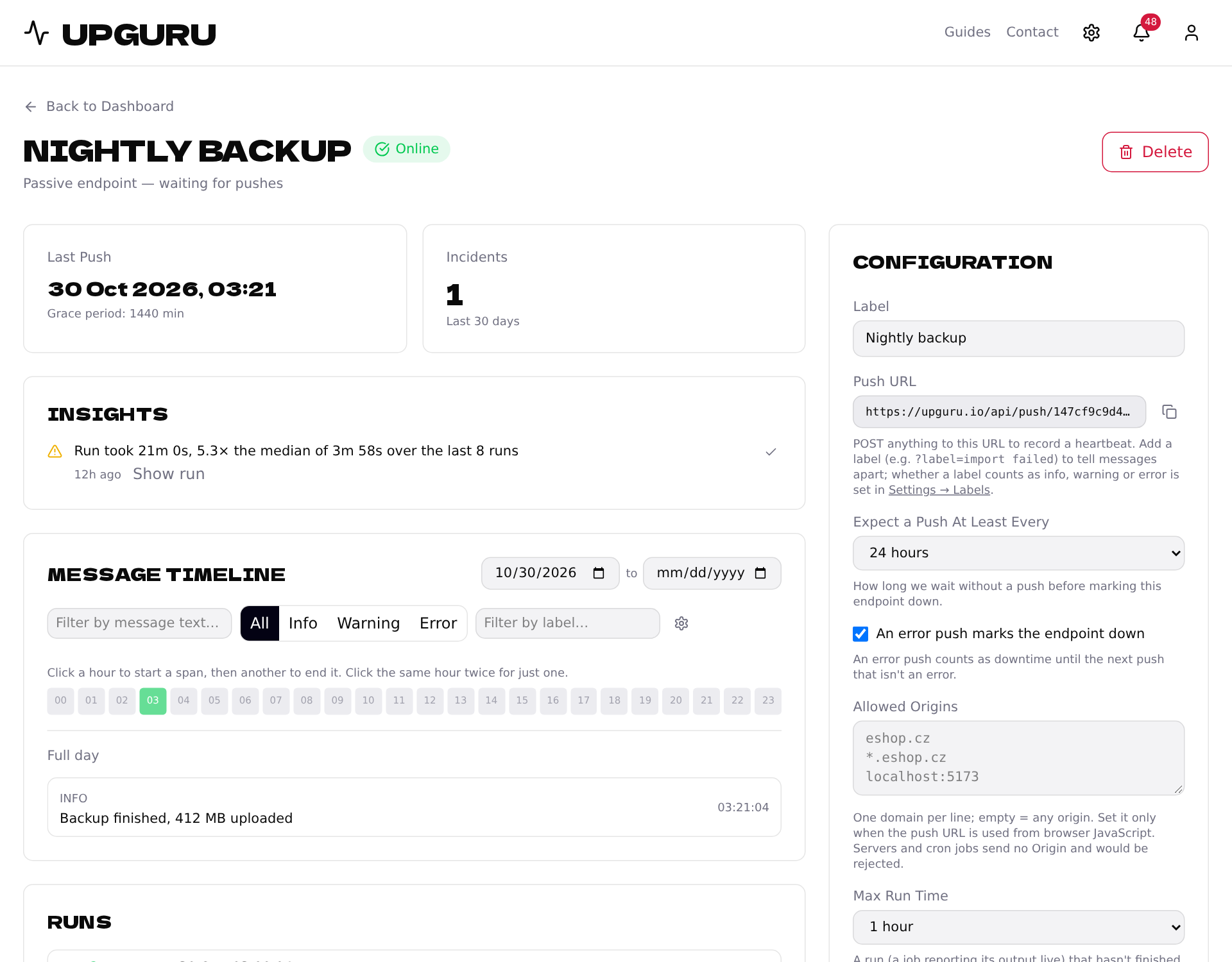
The detail page shows when the job last reported, every message on a timeline, and how many errors there were each day. Insights at the top points out anything unusual, like a run that took five times longer than usual.
Optional: watch the output live
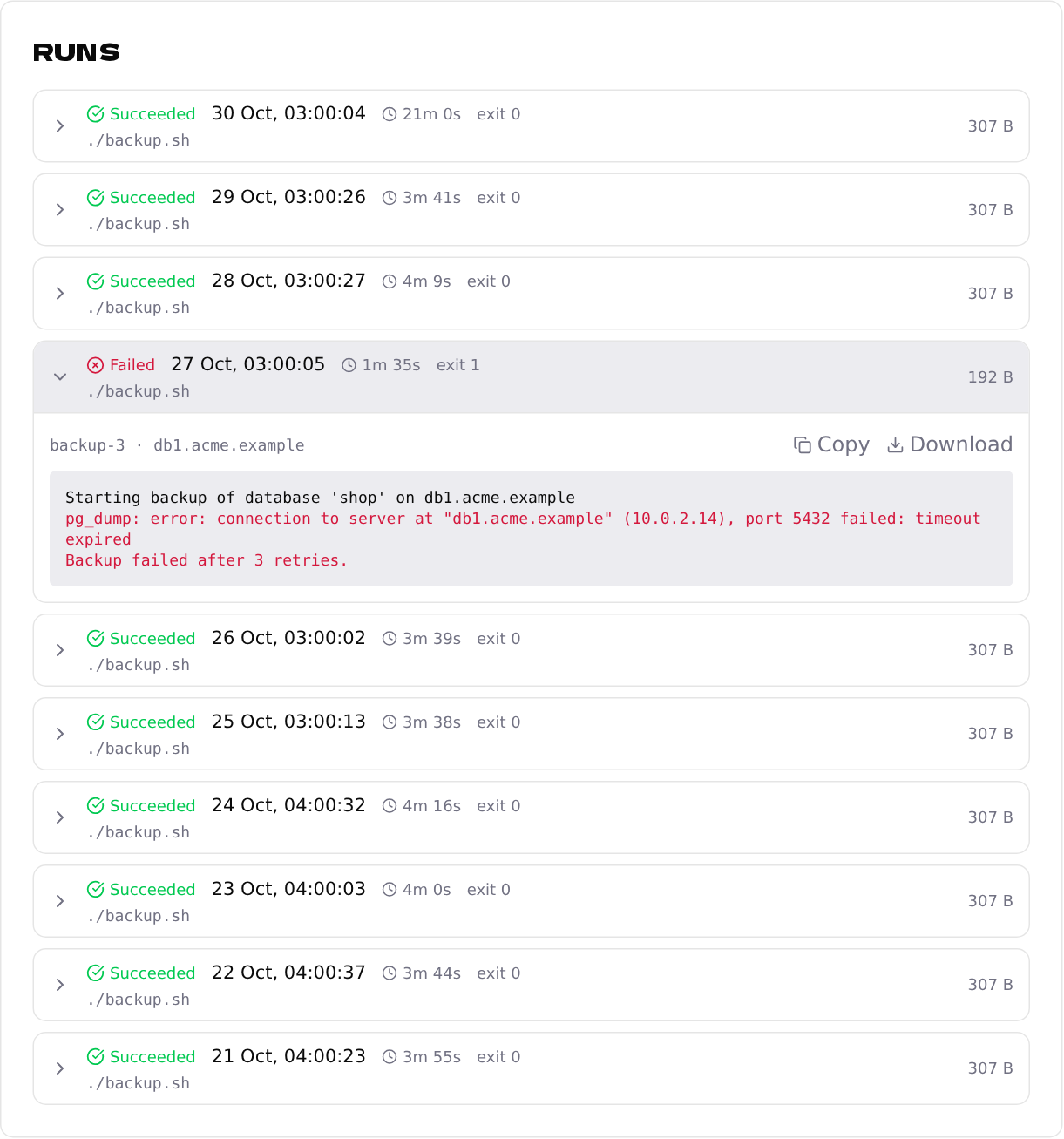
If you run the job through the upguru command-line tool, it reports the job's whole output while it runs. Each run then appears under Runs with its duration, exit code and full log — errors are shown in red, and you can copy or download the log.
upguru run --live -- ./backup.sh