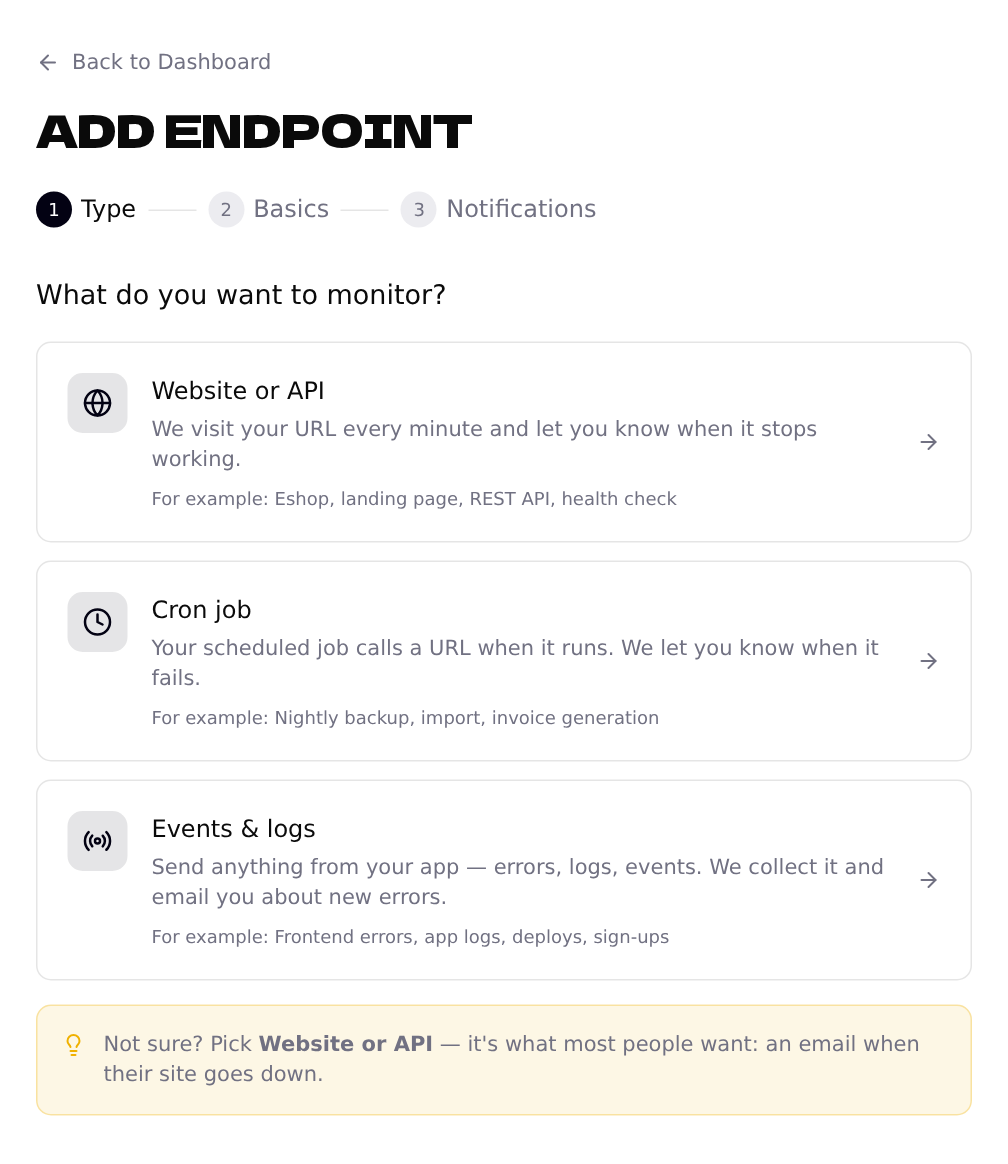
Choose “Website or API”
On the dashboard, click + Add Endpoint and pick the first option.
Enter the address
Type the address of your site, for example shop.acme.example. You don't have to add https:// — we do it for you. The endpoint is named after the address; you can rename it later.
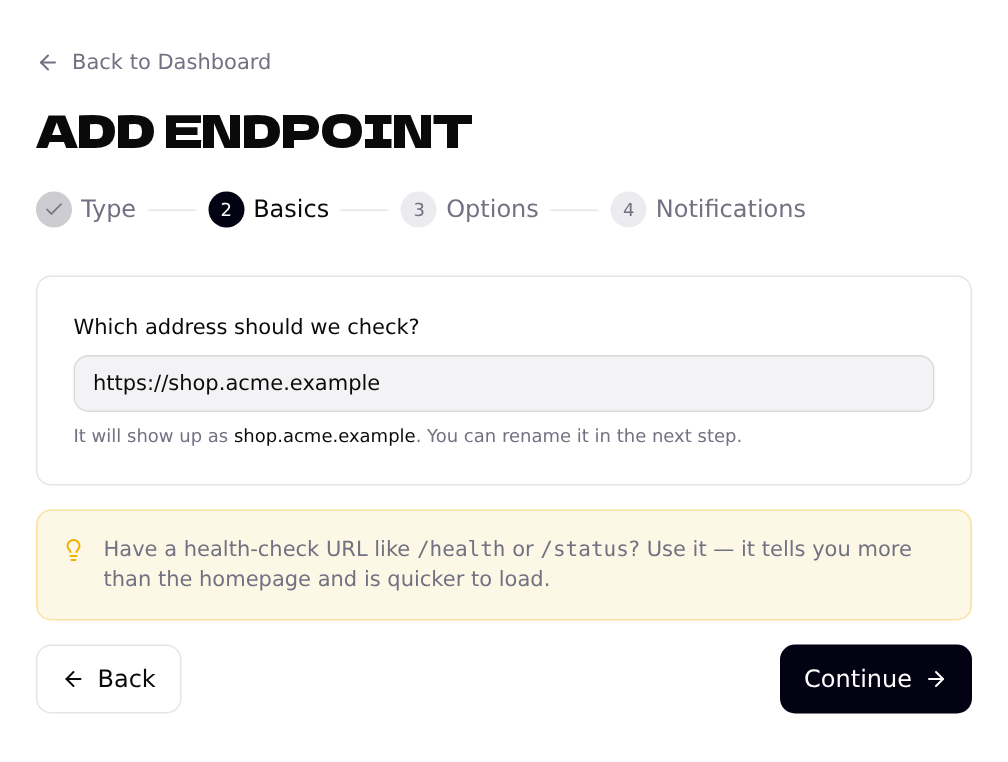
/health or /status, use it. It checks more than the homepage does, and it's faster.Skip the options (most people do)
The defaults work for almost every site: we check the address every minute and expect it to answer with status 200 within 30 seconds. Click Skip, use defaults.
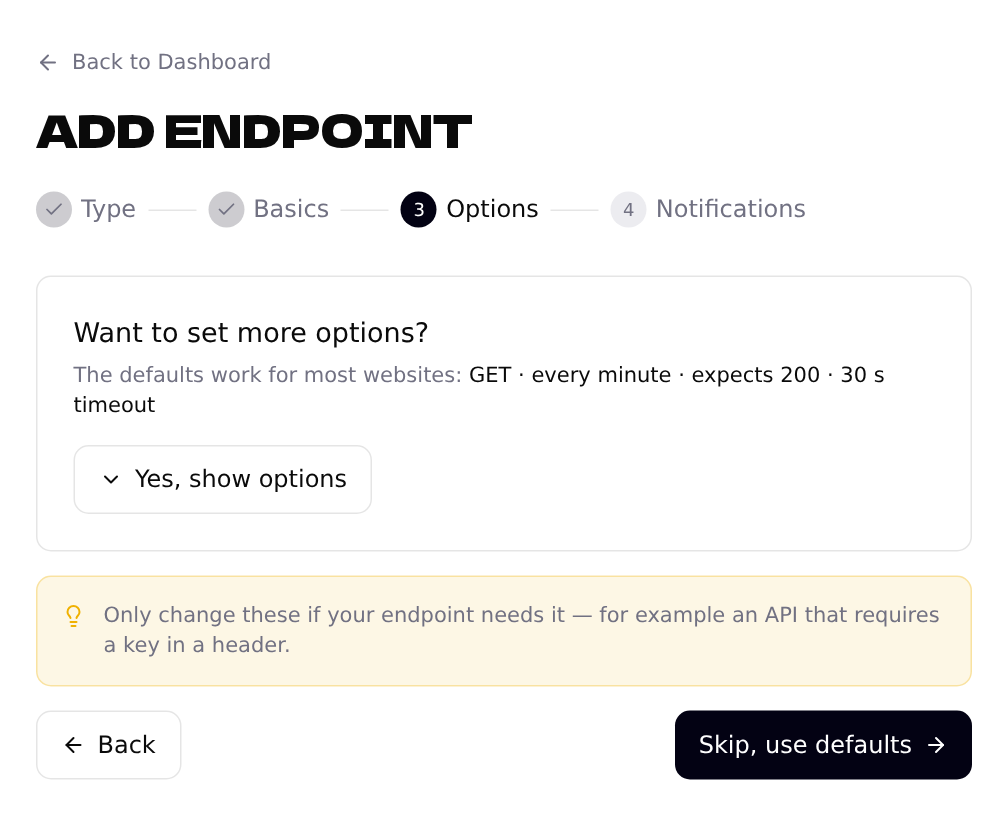
Change them only when you need to, for example:
- •Your API needs a key — add it under Request headers, e.g.
Authorization: Bearer …. - •You don't need minute-by-minute checks — choose every 5 or 15 minutes.
- •The address answers with a different code on purpose — set Expected status code.
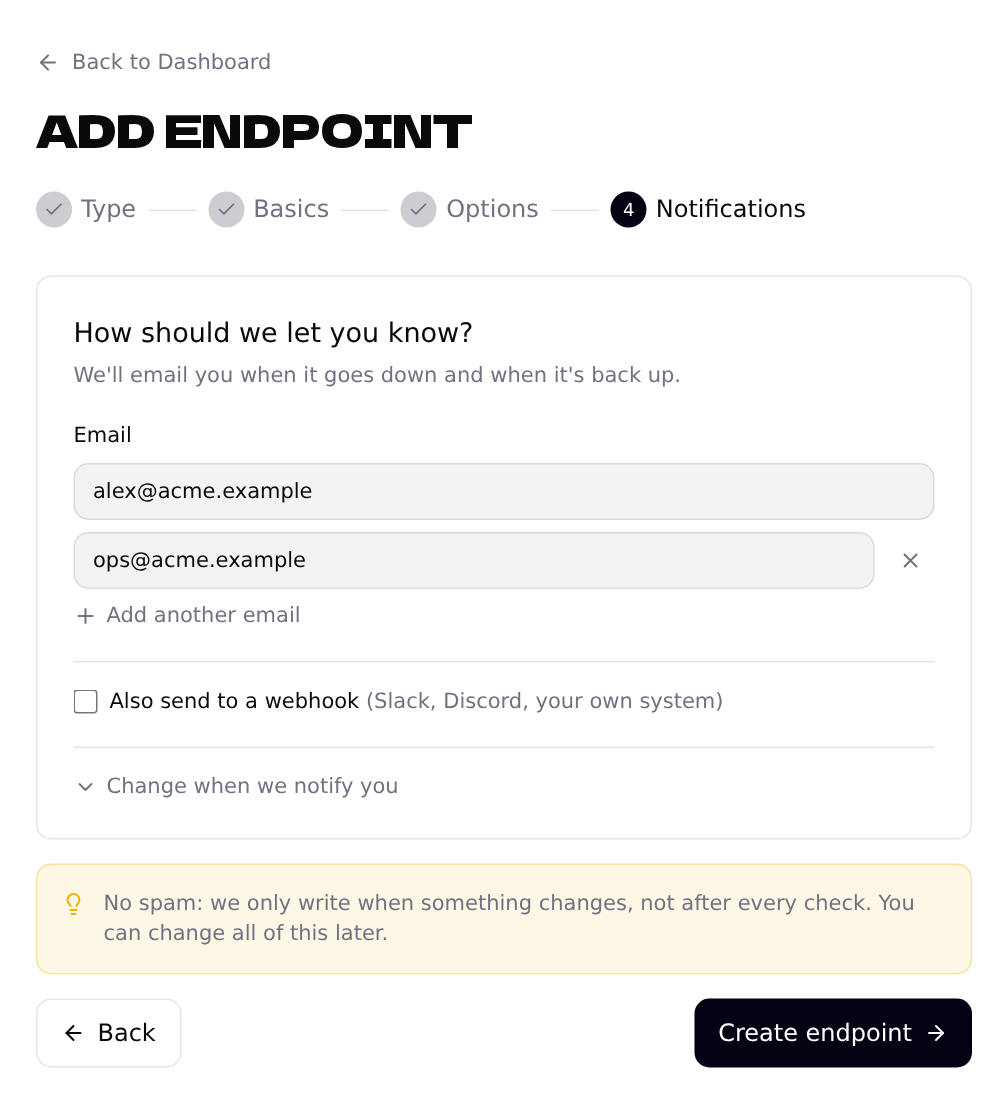
Choose who gets the email
Your own email is already filled in. Add colleagues with Add another email, then click Create endpoint. Want alerts in Slack or another tool too? See Alerts: email and webhooks.
Watch the results
The first result shows up within a minute. Open the endpoint from the dashboard to see its uptime over the last 30 days, the response time over the last 24 hours and the uptime of each of the last 7 days.
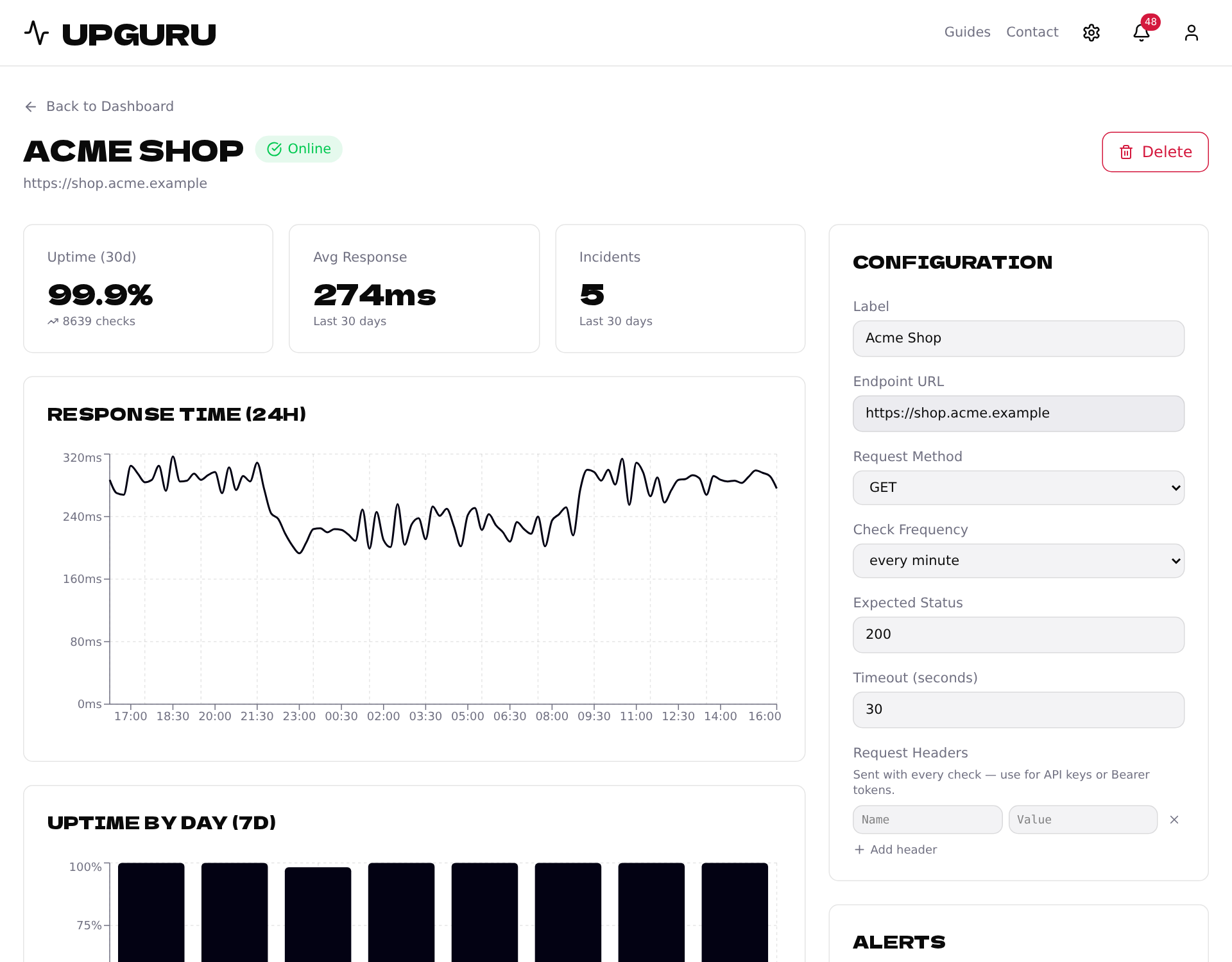
Further down, Recent incidents lists every failed check. Problems with the site's SSL certificate — for example when it has expired — show up here too, and we email you about them.